User Management
CCX simplifies Redis user management by providing a clear and intuitive user interface for managing privileges and accounts. Below are detailed instructions and explanations for managing Redis users within the CCX environment.
Viewing Existing Users
To view existing Redis users:
- Navigate to the Users section in your CCX Redis cluster.
- Here you'll see a list of existing user accounts along with their associated privileges.
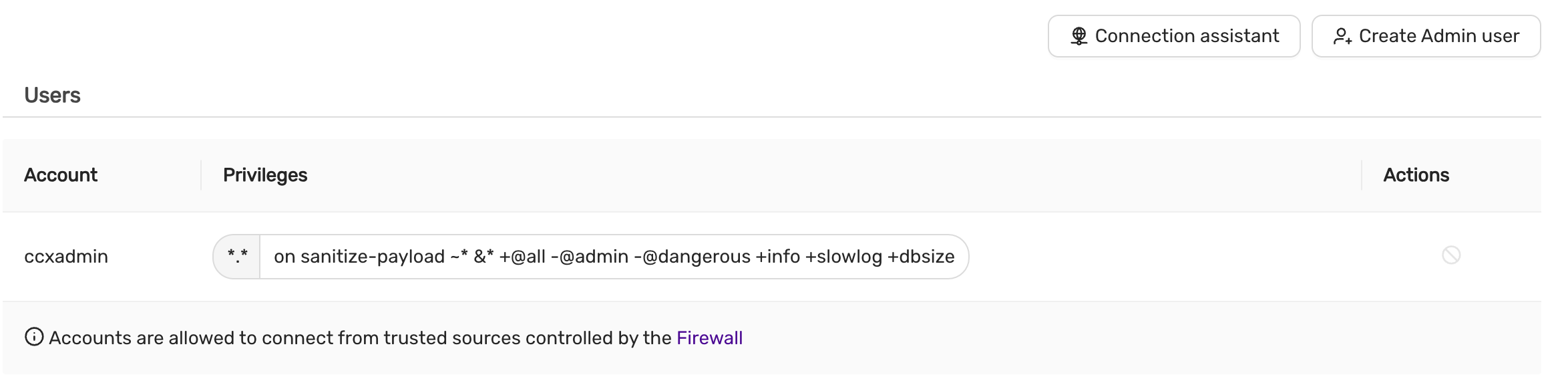
User Information Displayed:
- Account: Username of the Redis user.
- Privileges: Specific privileges granted or filtered out.
- Actions: Options to manage (modify/delete) the user.
Note: By default, the
-@adminprivilege is filtered out for security purposes.
Creating a New Redis Admin User
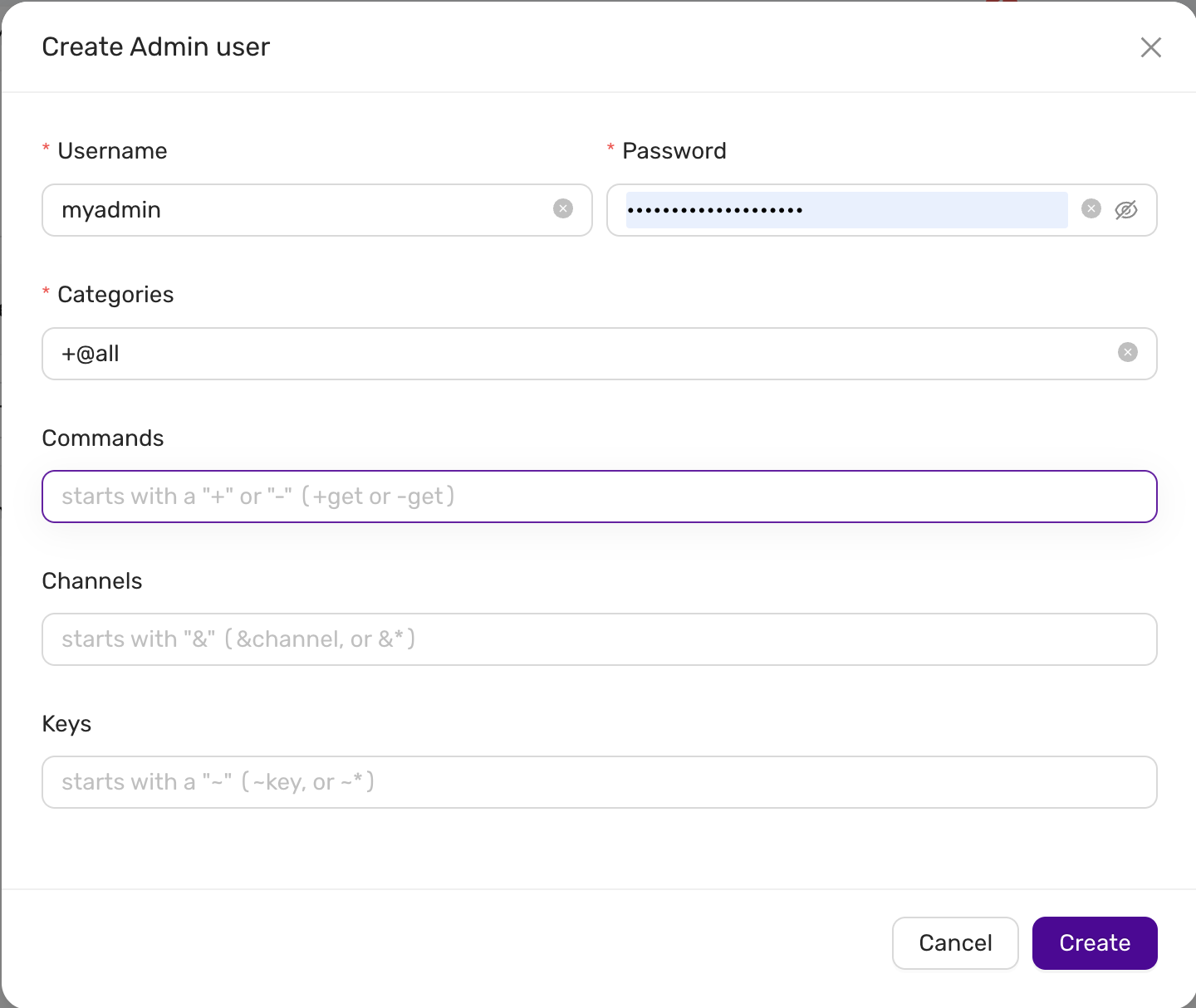
To create a new Redis admin user:
-
Click on the Create Admin user button.
-
Fill in the required fields:
- Username: Enter the desired username.
- Password: Enter a secure password for the user.
- Categories: Enter the privilege categories. By default, using
+@allwill grant all privileges except those explicitly filtered (e.g-@admin).
-
Optionally, you can define more granular restrictions:
-
Commands: Enter commands to explicitly allow (
+) or disallow (-). For example:- Allow command:
+get - Disallow command:
-get
- Allow command:
-
Channels: Specify Redis Pub/Sub channels. You can allow (
&channel) or disallow (-&channel). -
Keys: Specify key access patterns. Use the syntax
~keyto allow or~-keyto disallow access to specific keys or patterns.
-
-
After completing the form, click on the Create button to save the new user.
Default Privilege Filtering
CCX ensures the security of your Redis instance by automatically filtering potentially harmful privileges:
-@admin: Restricts administrative commands.
These privileges cannot be granted through CCX's standard user interface for security reasons.
Firewall and Access Control
User accounts in CCX Redis clusters are protected by built-in firewall rules:
- Accounts are only allowed to connect from trusted sources defined in the firewall settings.
Ensure your firewall rules are properly configured to maintain secure access control to your Redis users.