Scaling a Datastore
This section explains how to scale a datastore, including:
- Scaling volumes
- Scaling nodes (out, in, up and down)
Scaling a Datastore
A datastore can be scaled out to meet growing demands. Scaling out involves adding:
- One or more replica nodes (for primary/replica configurations). This is useful when you need to scale up and want the primary node to have more resources, such as additional CPU cores and RAM.
- One or more primary nodes (for multi-primary configurations). In multi-primary setups, scaling up or down must maintain an odd number of nodes to preserve quorum and the consensus protocol required by the database.
The instance type of the new nodes may differ from the current ones.
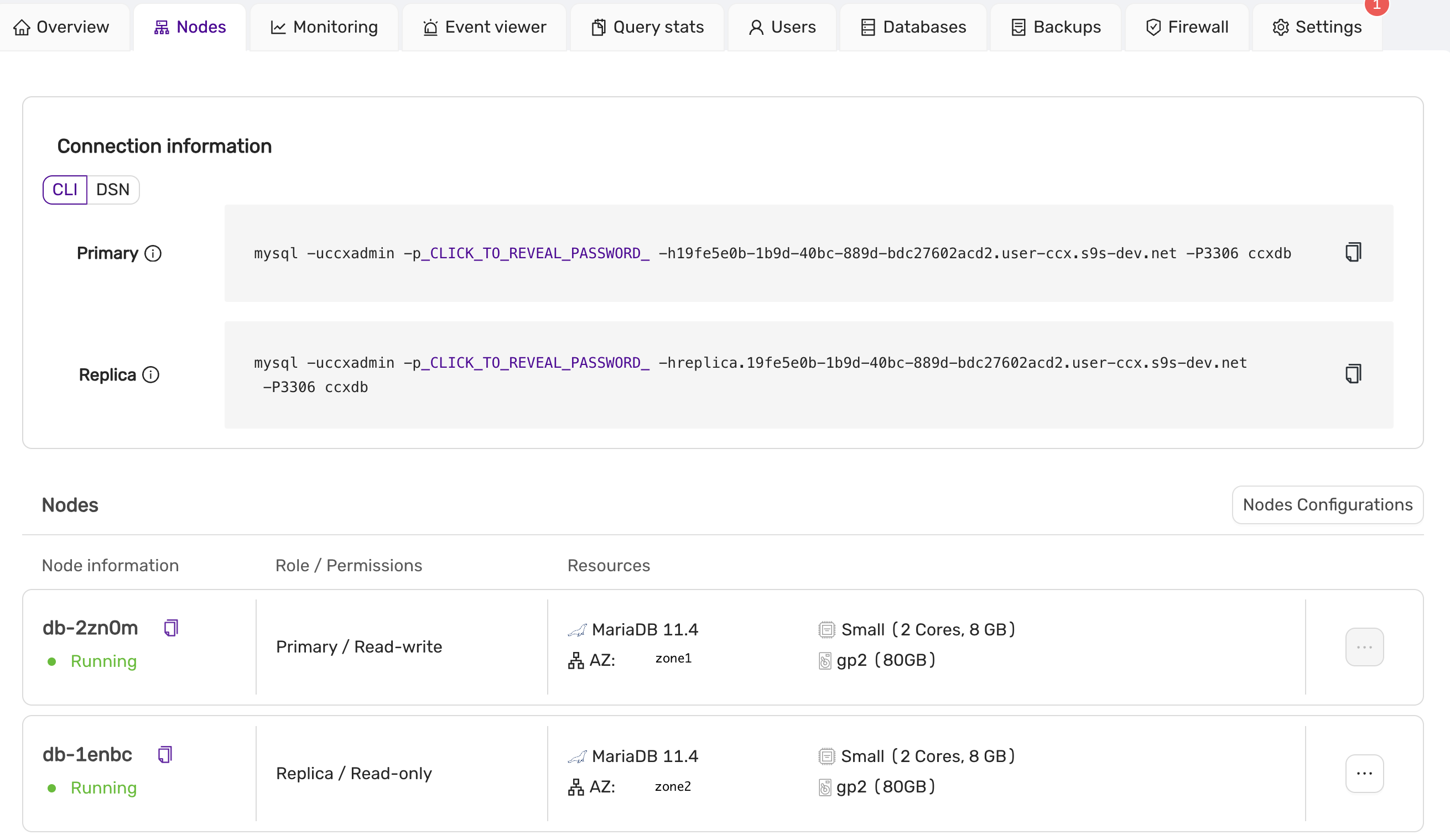
To scale a datastore, navigate to the Nodes page and select Nodes Configuration. This opens a submenu with two options: Scale Nodes, used for scaling replicas (or primaries), and Edit Storage, used for editing the datastore's storage capacity.
Scaling Up or Down, In or Out
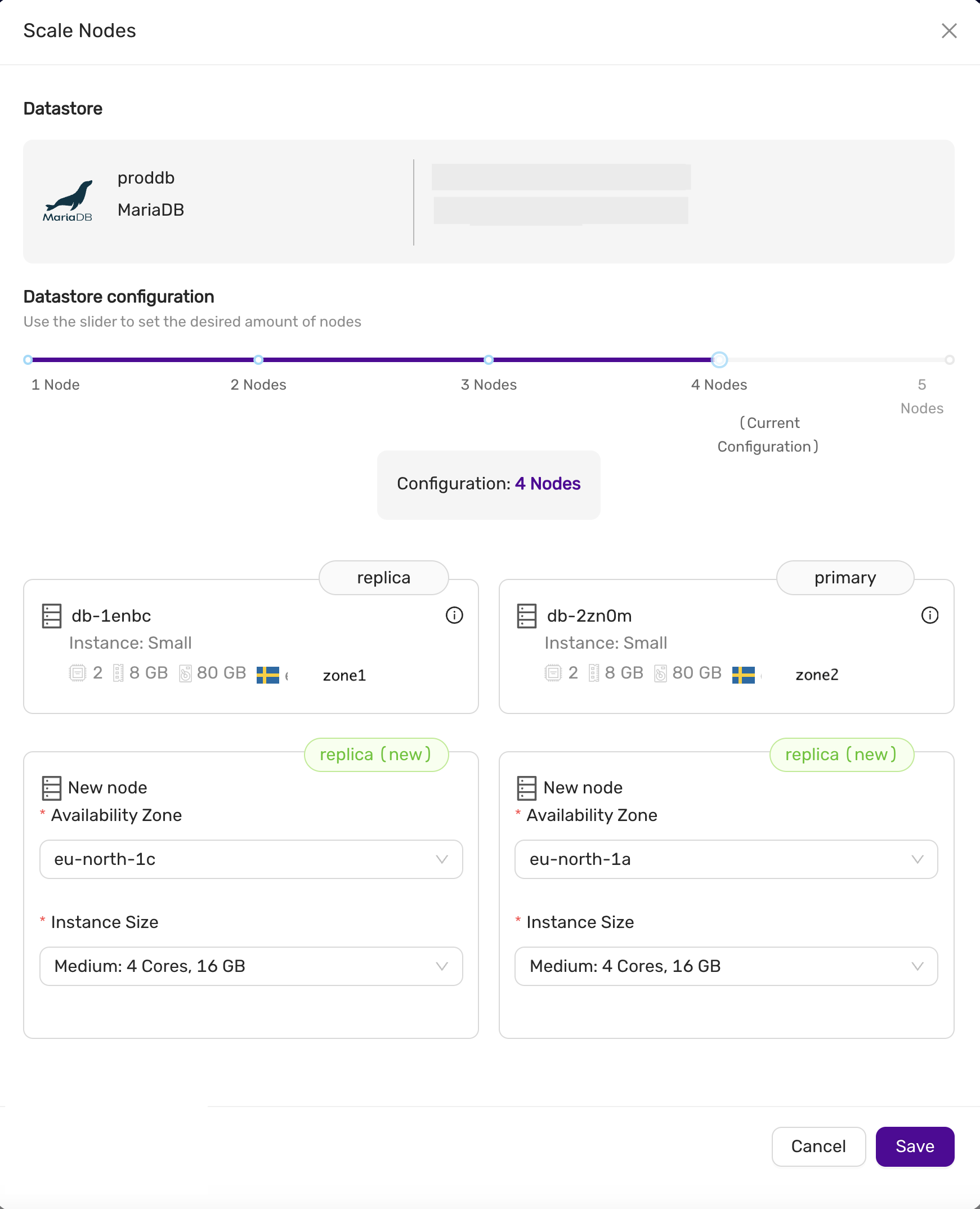
From Nodes Configuration, select Scale Nodes. Use the slider to adjust the datastore's new size. In this example, we have two nodes (one primary and one replica), and we want to scale up to four nodes. You can also specify the availability zones and instance sizes for the new nodes. Later, you might choose to promote one of the replicas to be the new primary. To proceed with scaling, click Save and wait for the scaling job to complete.
The availability zone and instance size fields for new replicas are marked as required, but can be left blank — new replicas will then inherit the same configuration as the primary node.
Scaling Down
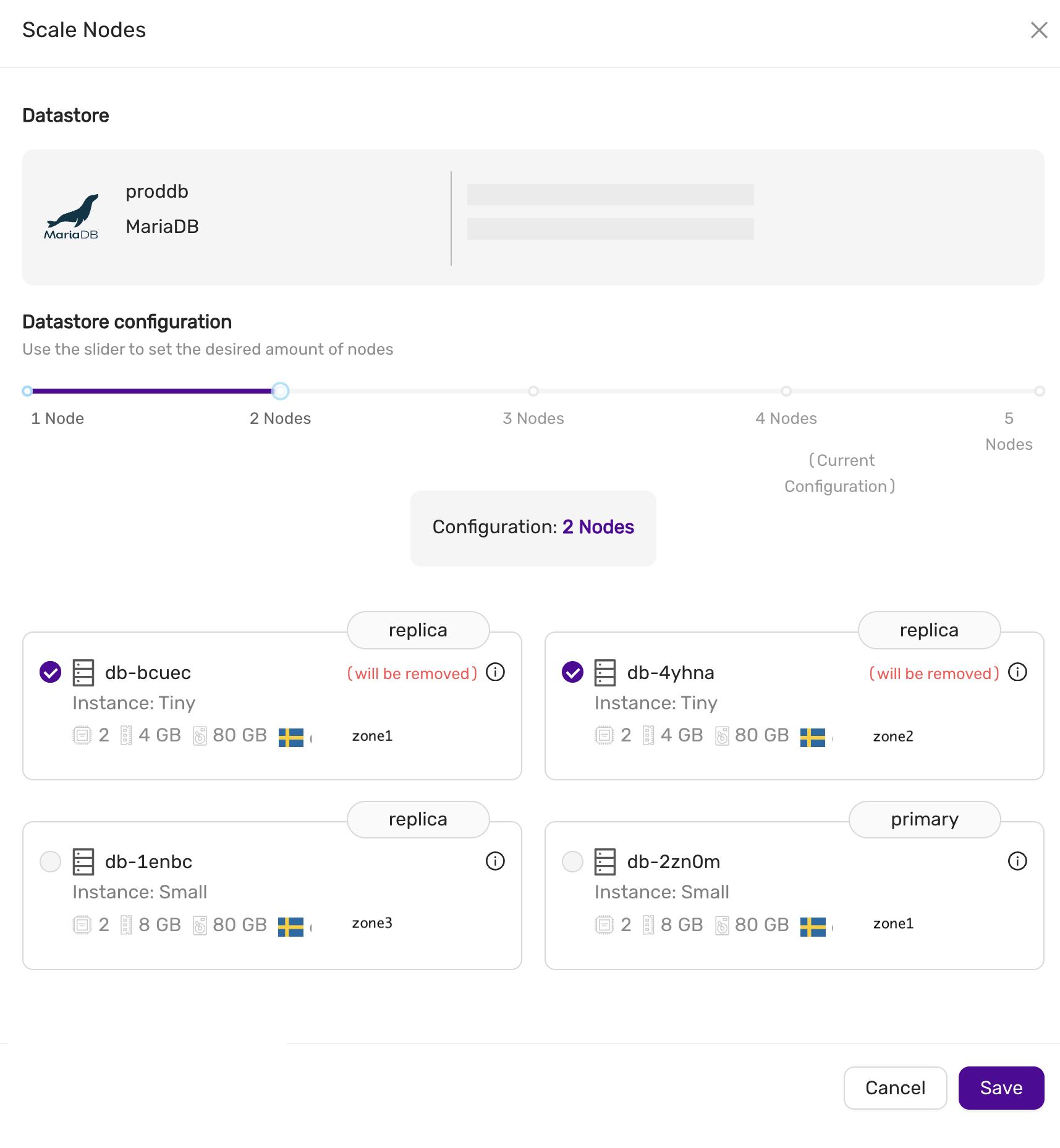
You can also scale down by removing replicas or primary nodes (in a multi-primary configuration). In the Nodes Configuration view, select the nodes you wish to remove, then click Save to begin the scaling process. This allows you to reduce the size of the datastore or remove nodes with unwanted instance sizes.
Scaling Volumes
To scale storage, go to the Nodes page, select Nodes Configuration, then Edit Storage. You can extend the storage size, but it cannot be reduced. All nodes in the datastore will have their storage scaled to the new size.