Terraform provider
The CCX Terraform provider allows to create datastores on all supported clouds. The CCX Terraform provider project is hosted on github.
Oauth2 credentials
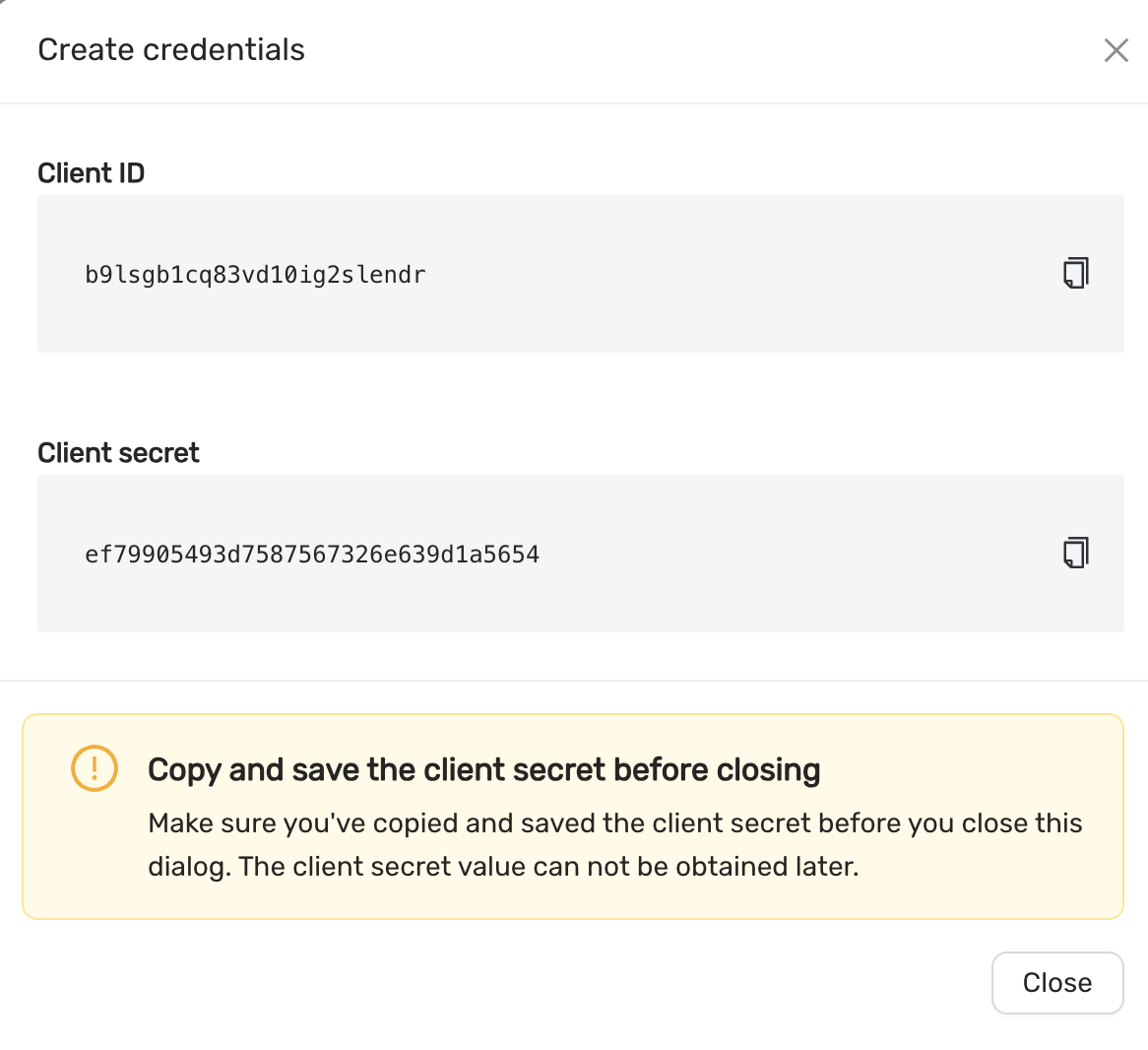
Oauth2 credentials are used to authenticate the CCX Terraform provider with CCX.
You can generate these credentials on the Account page Authorization tab.
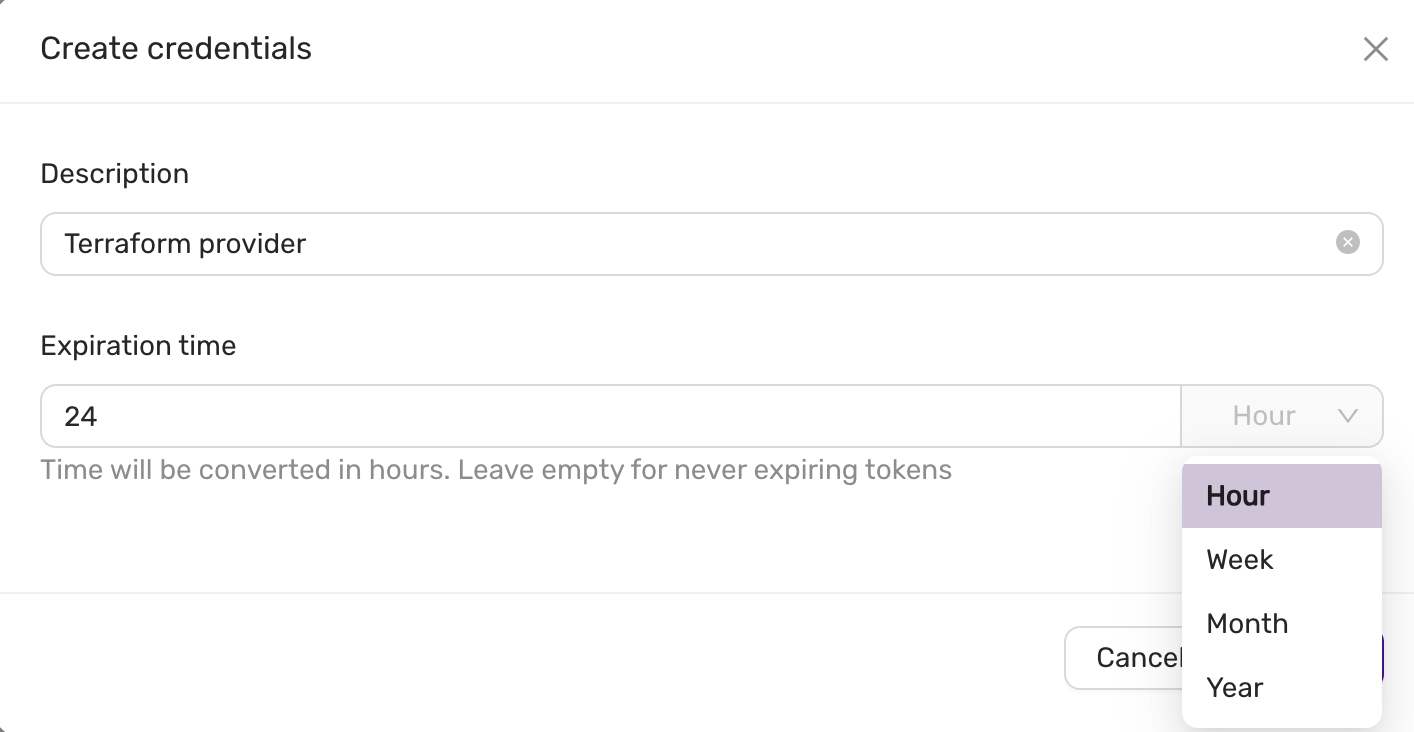 And then you will see:
Requirement
- Terraform 0.13.x or later
Quick Start
- Create Oauth2 credentials.
- Create a
terraform.tf - Set
client_id,client_secret, below is a terraform.tf file:
terraform {
  required_providers {
    ccx = {
      source  = "severalnines/ccx"
      version = "~> 0.4.7"
    }
  }
}

provider "ccx" {
    client_id = `client_id`
    client_secret = `client_secret`
}
Now, you can create a datastore using the following terraform code. Here is an example of a parameter group:
resource "ccx_parameter_group" "asteroid" {
    name = "asteroid"
    database_vendor = "mariadb"
    database_version = "10.11"
    database_type = "galera"

    parameters = {
      table_open_cache = 8000
      sql_mode = "STRICT_TRANS_TABLES,ERROR_FOR_DIVISION_BY_ZERO,NO_AUTO_CREATE_USER,NO_ENGINE_SUBSTITUTION"
    }
}
This group can then be associated with a datastore as follows:
resource "ccx_datastore" "luna_mysql" {
	name           = "luna_mysql"
	size           = 3
	type           = "replication"
	db_vendor      = "mysql"
	tags           = ["new", "test"]
	cloud_provider = "CCX_CLOUD"
	cloud_region   = "CCX-REGION-1"
	instance_size  = "MEGALARGE"
	volume_size    = 80
	volume_type    = "MEGAFAST"
	parameter_group = ccx_parameter_group.asteroid.id
}
Replace CCX_CLOUD, CCX-REGION-1, MEGALARGE and, MEGAFAST, with actual values depending on the cloud infrastructure available.
For more information and examples, visit the terraform-provider-ccx github page.
More on parameter groups
Only one parameter group can be used at any give time by a datastore. Also, you cannot change an existing parameter group from terraform. If you want to change an existing parameter group, then you need to create a new parameter group:
resource "ccx_parameter_group" "asteroid2" {
    name = "asteroid2"
    database_vendor = "mariadb"
    database_version = "10.11"
    database_type = "galera"

    parameters = {
      table_open_cache = 7000
      sql_mode = "NO_ENGINE_SUBSTITUTION"
    }
}
And then reference it in:
resource "ccx_datastore" "luna_mysql" {
	name           = "luna_mysql"
  ... <same as before>
	parameter_group = ccx_parameter_group.asteroid2.id
}
Now you can apply this to terraform. Always test config changes first on a test system to be sure the config change works as expected.
Features
The following settings can be updated:
- Add and remove nodes
- Volume type
- Volume size
- Notifications
- Maintenance time
- Modify firewall (add/remove) entries. Multiple entries can be specified with a comma-separated list.
Limitations
- Change the existing parameter group is not possible after initial creation, however you can create a new parameter group and reference that.
- It is not possible to change instance type.
- Changing availability zone is not possible.